
Habits
Habits are how you build consistency in groovmint. Where Tasks are about getting things done, Habits are about showing up regularly - tracking your routines, practices, and activities over time so you can see your consistency patterns and build real momentum.
Every time you log a habit that's linked to a Groov, it earns 1.5 Momentum points for that Groov - the highest of any activity type in groovmint. Consistency is rewarded.
Creating a new habit
To create a new Habit, click the New Habit button. You'll find it above the Habit component, or in the Quick Access menu at the top of the dashboard.
Setting up your habit
When you open a new Habit, here's what to fill in:
Habit name
Give your habit a clear name - "Morning run", "Meditation", "Study session", "Gym" - whatever makes sense to you.
Groov
Link this habit to a Groov so it contributes to your Momentum Score.
Routine
Set how many times per routine period you're aiming to complete it. For example, if your routine is Weekly and your goal is 4, groovmint will track your progress towards 4 completions per week.
Routine goal
How many times per routine period you're aiming to complete it. For example, if your routine is Weekly and your goal is 4, groovmint will track your progress towards 4 completions per week.
Timed habit
(optional)
Toggle this on if you want to track the duration of each session. When active, pressing RECORD starts a timer, and pressing it again stops it and logs the duration automatically.
Timed goal
(optional)
If using timed tracking, set a target duration in minutes. groovmint will track your logged time against this goal.
Category
(optional)
Assign a category to help group and filter your habits.
Location
(optional)
Note where you do this habit - useful for habits that are location-specific.
Logging a habit
To log a habit, press the RECORD button on the Habit card on your dashboard.
- For a standard habit, one press logs one completion for today
- For a timed habit, the first press starts the timer and the second press stops it - groovmint records the duration automatically and adds one completion
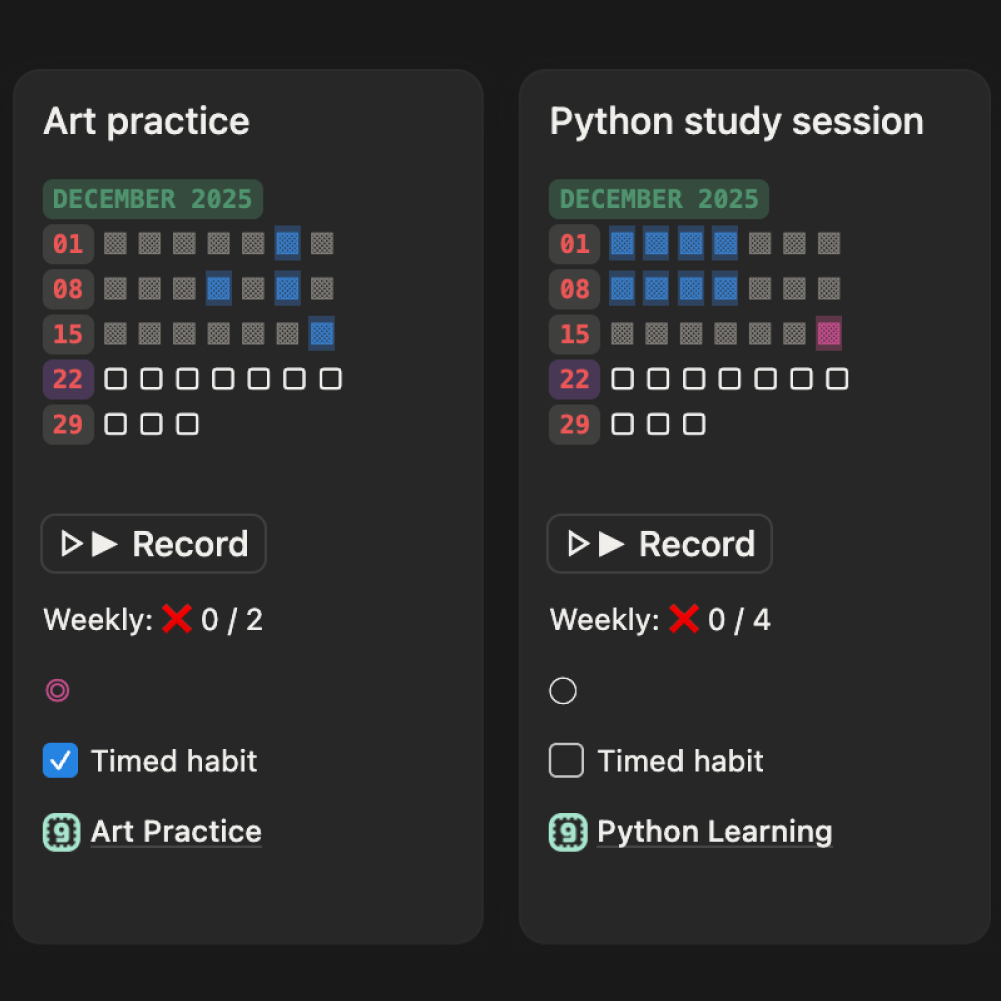
Each log earns 1.5 Momentum points towards your linked Groov.
The habit card
Each habit appears as a card on your dashboard showing:
Heat map
A visual grid of your completions for the current month. Filled squares show logged days, empty squares show days with no activity. The colour intensity reflects how many times you logged on a given day
Weekly progress
How many times you've logged this habit in the current week against your weekly goal (e.g. Weekly: 3 / 4)
Timed habit indicator
Shows if the habit is set up for timed tracking
Linked Groov
Which Groov this habit contributes to
The habit page
Opening the Habit card to reveal the page gives you the full detail view. Key things you'll see:
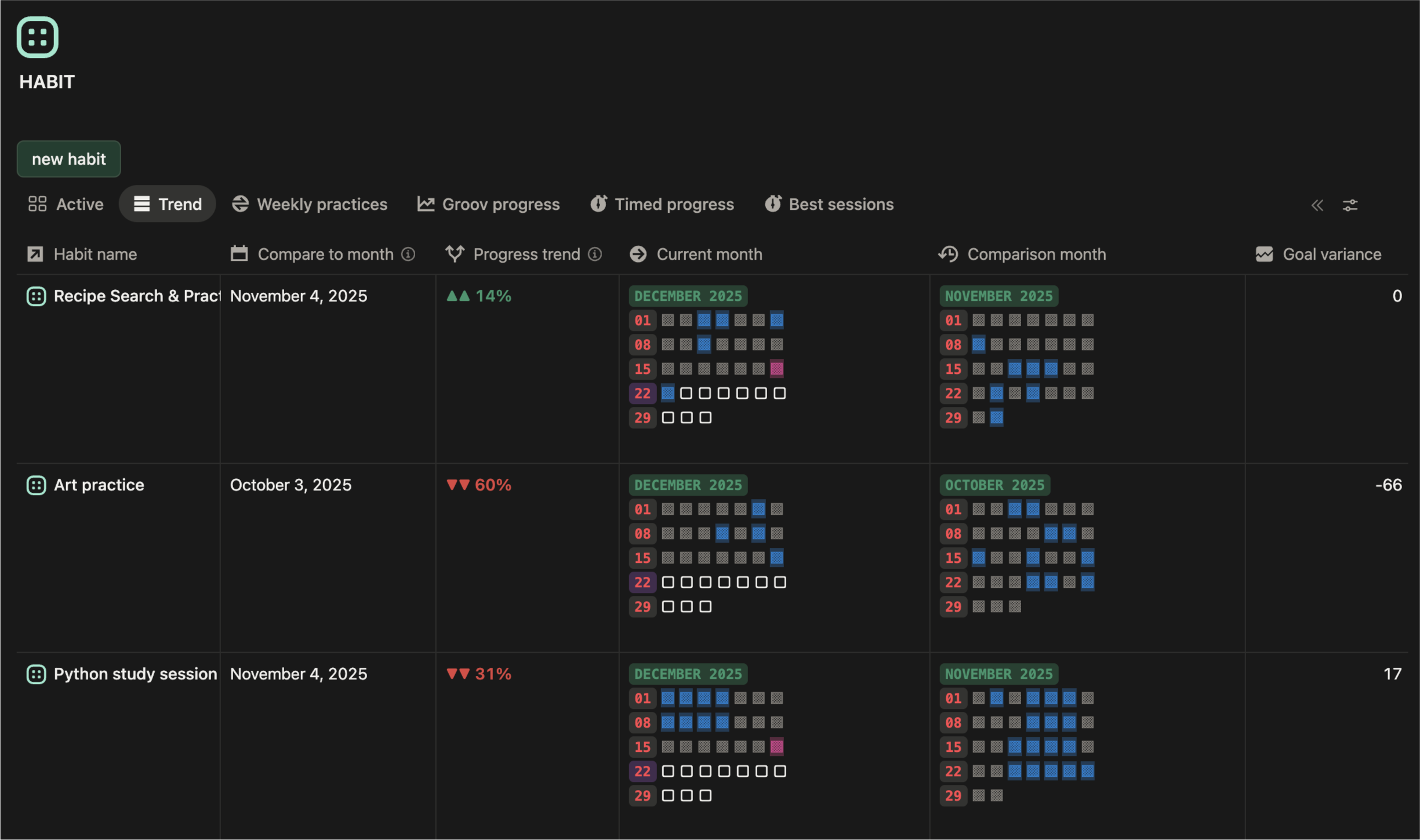
Current month heat map
The full month grid showing every day's activity. Filled squares (▩) are logged days, empty squares (□) are days with no activity.
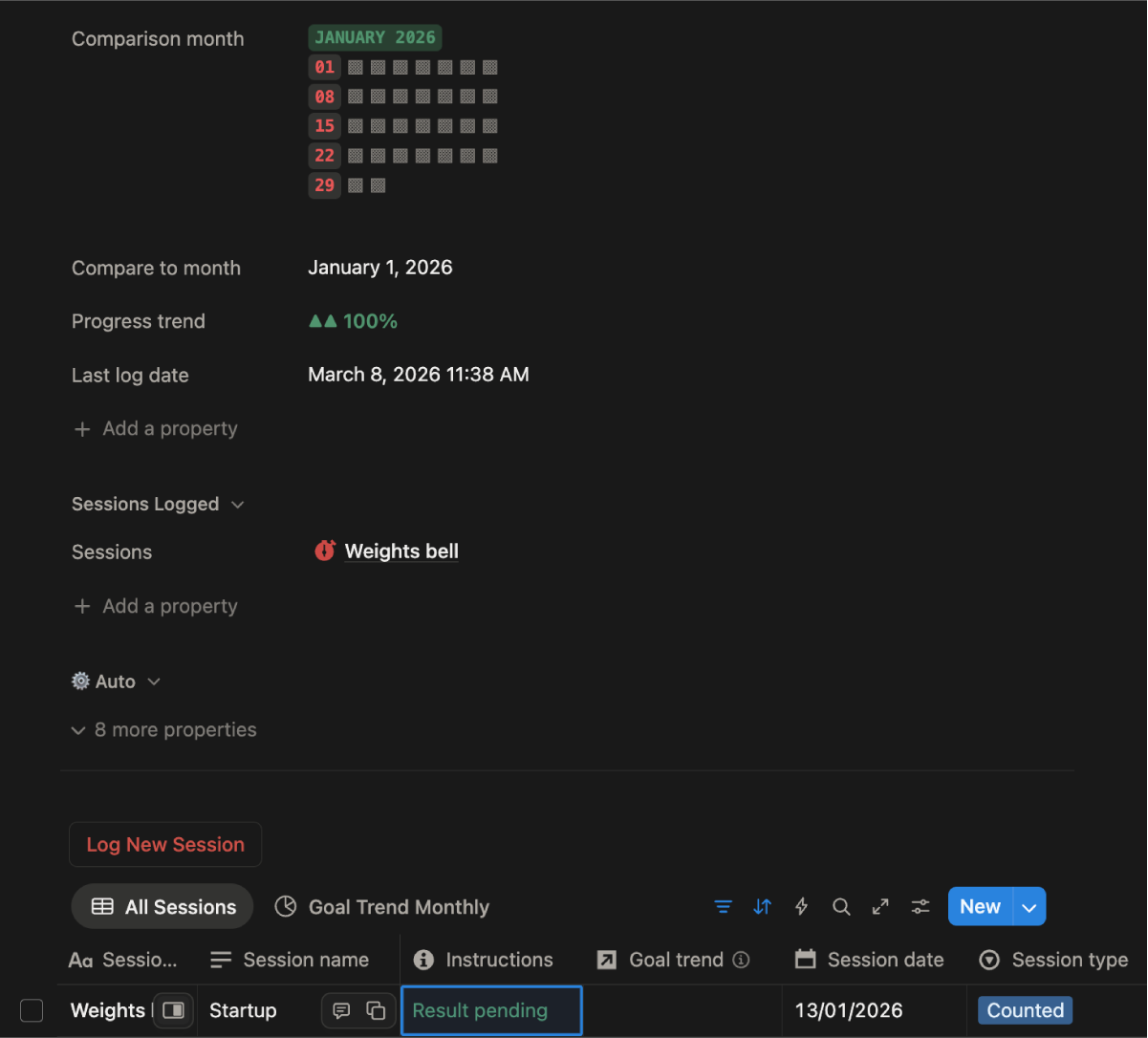
Comparison month
You can compare the current month's heat map against a previous month to spot trends and see how your consistency is changing over time.
Progress trend
An automated indicator showing whether your activity is trending up, down, or holding steady compared to your comparison month.
Goal met / Goal variance
Shows whether you're hitting your routine goal and by how much.
Last log date
The last date you logged this habit.
Total time
(timed habits only)
The total cumulative time you've logged across all sessions.
Average time
(timed habits only)
Your average routine log duration.
Dashboard trend view
The Habit trend view on the dashboard reveals all habits' current month logs next to the selected comparison month.
Sessions
What are sessions?
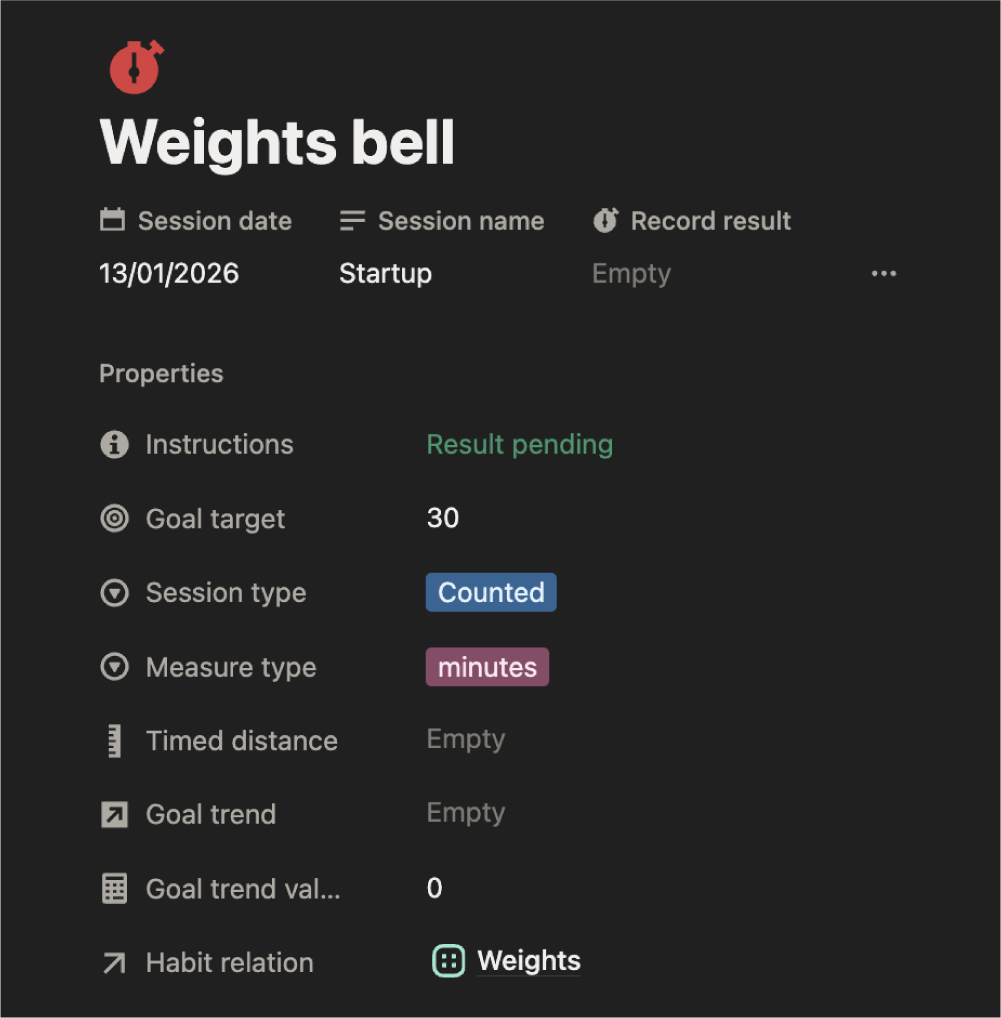
Think of it this way: Habits are about showing up, while Sessions are about what you actually did once you got there. If logging a Habit is like checking in at the gym, a Session is where you record the specific workout you completed.
You can use Sessions for any activity where you want to keep a more detailed record. This could be anything from tracking your specific lifts in the gym, to logging the chapters you read in a book, or even keeping notes on administrative tasks.
A quick note on your Momentum Score:
Sessions don’t affect your score, and that’s by design. Momentum is all about the consistency of showing up - the "win" is in doing the habit itself. Sessions are purely for your own tracking and self-improvement, giving you a deeper look at your progress over time.
Why are Sessions not included towards the Momentum Score?
Momentum is designed to be fair and universal - a dog walker earns the same momentum as an exam studier. If sessions contributed to Momentum, people doing measurable activities (timed runs, test scores) would gain more than those doing equally valuable but unmeasurable practices (meditation, creative work, study). Sessions and Momentum measure different things - both matter, just separately.
There are four session types depending on what you want to measure:
Session type
Best for...
Timed
Great for: Meditation, study sessions, project work
Activities where duration matters
Counted
Great for: Sales calls, push-ups, emails processed
Activities with discrete repetitions
Scored
Great for: Workout intensity, presentation quality
Activities with a quality or performance rating
Measured
Great for: Running distance, weights lifted, pages read
Activities with a measurable outcome
Get the most out of habits
- Start with one or two. It's tempting to track everything at once. Start with the habits that matter most right now and build from there.
- Set a realistic routine goal. If your goal is too ambitious you'll feel like you're failing when you're not. Start low and build up.
- Use the comparison month. Flicking between months is one of the most motivating things in groovmint - seeing your heat map fill up over time is genuinely satisfying.
- Don't stress about missed days. The heat map shows gaps without judgement. Rest is part of the process - groovmint doesn't punish you for it.
- Use Sessions for the things you want to measure deeply. Not every habit needs a session - save it for the activities where performance tracking genuinely adds value for you.