
The Hub
The groovmint/HUB is the engine room behind your dashboard. It's where all of your data actually lives - every groov, task, habit, learning, and journal entry you create is stored here.
Your dashboard doesn't store any data itself. It simply shows linked views of what's in the HUB, which is what keeps it fast and lets you create multiple dashboard layouts without ever breaking anything. The HUB and the dashboard are two separate pages that work together.
How to find the hub
You can access the HUB at any time from the Quick Access menu at the top of your dashboard, or directly from your Notion sidebar.
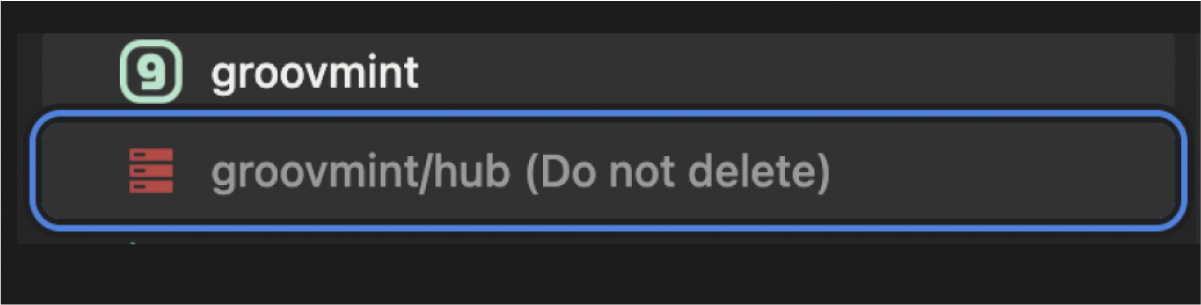
💡 For day-to-day use you won't need to visit the HUB at all. Everything you need is on your dashboard. Think of the HUB as the wiring behind the wall - you don't need to touch it, but it's good to know where it is and what it does.
Inside the hub
The HUB is organised into four sections:
User guide
A link back to this User Guide, always within reach.
Dashboard settings
This is where you manage your Settings, including your Categories and Holidays Schedule. We cover the details of these in the Settings section of this guide.
⚠️ Do not delete the Settings page. Deleting it will break your task holiday detection and category assignments.
Research and support
A direct link to contact the groovmint team if you have a question, encounter an issue, or want to share an idea for a future version.
Databases
This is the most important section of the HUB. It contains all the databases that power your groovmint dashboard, split into two groups that are covered below.
Primary Databases
The primary databases are where all your page entries are recorded. These are the databases you interact with through your dashboard.
Database
What it stores
Groovs
All your Groov pages
Task
All your Task pages
Habit
All your Habit pages
Learning
All your Learning pages
Journal
All your Journal entries
Brain Dump
All your Brain Dump notes from the Quick Menu
⚠️ Do not edit properties, automations, or buttons in any primary database. Doing so may cause errors and return incorrect results. groovmint does not provide support for templates that have been altered.
⚠️ If you delete a page from a primary database, make sure to also remove any related entries in the secondary databases (see below).
Secondary Databases
The secondary databases capture automated values that power your dashboard charts and momentum calculations. You should never need to add entries to these directly - they are managed automatically by groovmint.
Database
What it stores
Groov Momentum
Automated momentum log entries for every completed activity
Groovy Mints
Your groovmint high score data
Recurring Tasks
Recurring task sequence data
Habit Logs
Individual habit log entries
Habit Trends
Habit trend calculations
Sessions Log
Individual timed and counted sessions within Habits
Cleaning up changes in Primary Data
If you make changes to your primary data, here's what you need to clean up in the secondary databases:
- If you rename a Groov, visit the Groov Momentum database to ensure records are intact for that Groov
- If you delete a Habit, remove its entries from the Habit Logs and Habit Trends databases to ensure accurate results on your dashboard
- If you delete a completed Task, remove any related values captured in Recurring Tasks
- For all deletions above, as well as Learning page deletions, also remove the related entries from the Groov Momentum database
- Do not touch any values or remove pages in Groovy Mints
Golden rules
To keep groovmint working correctly, follow these rules whenever you're in the HUB:
- Never delete the HUB page. All your data lives here. Deleting it means losing everything.
- Never delete the Settings page. It's required for holiday detection and category management.
- Never add data directly to any HUB database unless this guide specifically tells you to. Always use the buttons and forms on your dashboard instead.
- Never edit properties, automations, or buttons in any database. groovmint's calculations depend on the exact structure of these being intact.
- If you delete primary data, clean up the related secondary database entries as described above.