
Insights Journal
The Insights Journal is your personal wellbeing log. It's where you record how you're feeling - your energy, your mood, your mental state - so you can start to understand the connection between your wellbeing and your productivity.
Unlike the other components in groovmint, the Insights Journal is independent. It doesn't link to a Groov and it doesn't contribute to your Momentum Score. It exists purely for self-awareness, giving you an honest picture of how you're actually doing, not just what you're getting done.
Creating a new journal entry

To create a new journal entry, click the New Journal button. You'll find it above the Insight component, or in the Quick Access menu at the top of the dashboard. Entries work well on mobile too, so you can log from your phone.
Pick your Mood, Energy and Feeling as they are right now. That is all an entry needs, and all three count towards your score. There is also a Journal Notes field for anything you want to remember about the day. It does not have to be a meaningful moment. The value builds from logging regularly, so a quick entry on an ordinary day counts as much as one on a big day.
Each entry is automatically named with the date and time, but you can rename it to something more meaningful if you like - "Post-workout", "Monday slump", "Big client win" - whatever helps you remember the context.
The three categories
Mood
Your overall emotional state at the time of logging.
Feeling
Your mental and cognitive state - how your head is feeling.
Energy
Your physical energy level.
Each category carries equal weight in your Mint Score.
Never modify the Mood, Feeling or Energy dropdown options. The Mint Score formula is calibrated to the existing options, and changing them breaks the scoring.
The Mint Score
Once you have chosen your Mood, Energy and Feeling, groovmint calculates your Mint Score automatically. It is a snapshot of your wellbeing at that moment, so there is nothing to work out yourself.
How the score is worked out
Every option you can pick is worth a number from 1 to 10, with 1 at the lowest end and 10 at the highest. groovmint takes the values for your Mood, Energy and Feeling, averages them, and rounds the result to one decimal place.
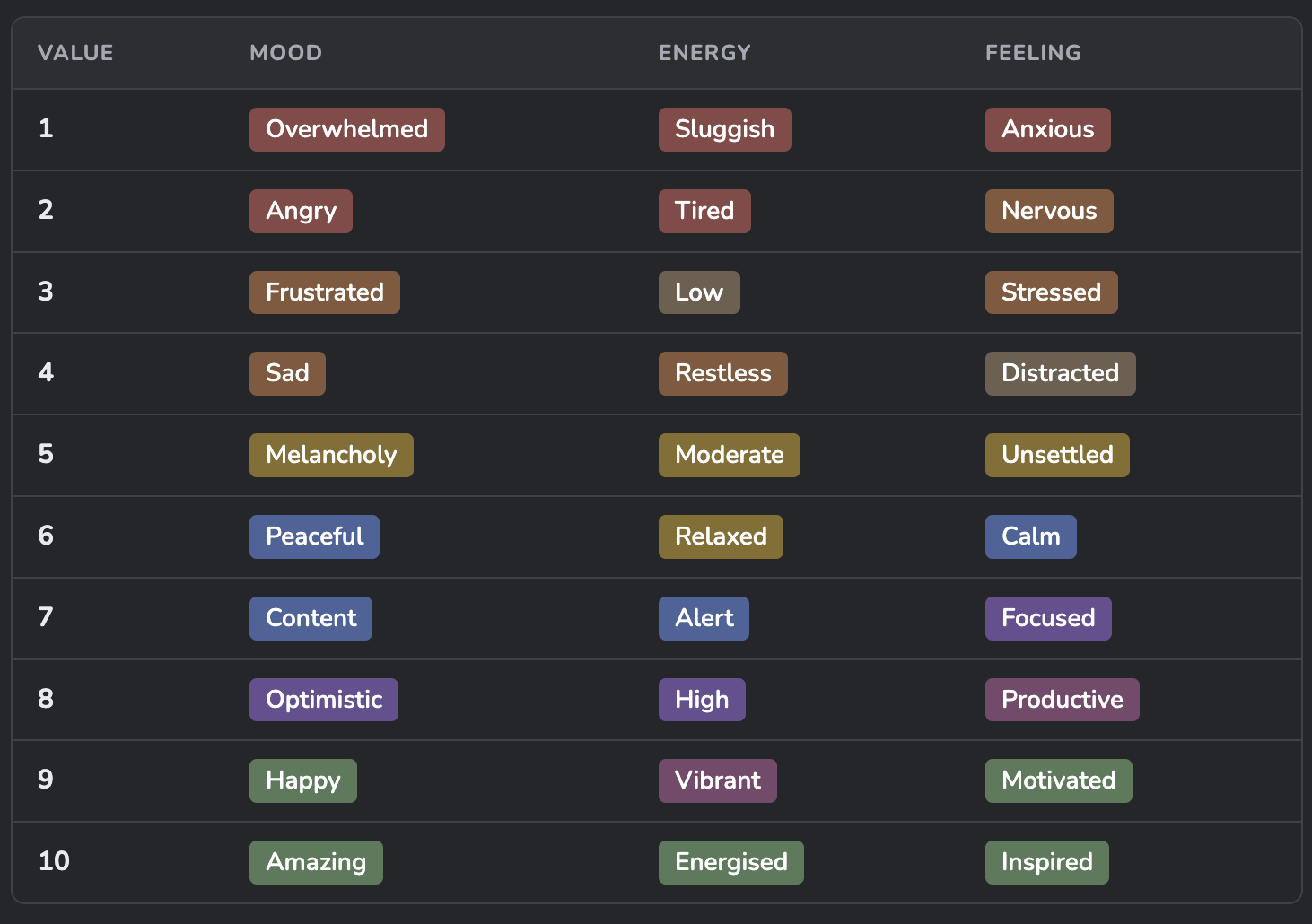
The options are colour-coded in Notion, with reds at the low end and greens at the high end, so you can see where an option sits as you pick it.For example, Content (7), Calm (6) and Tired (2) average out to a Mint Score of 5.0. Happy (9), Motivated (9) and Moderate (5) give 7.7. With all three filled in, scores run from 1.0 to 10.0.
Fill in all three. A category left blank counts as zero, which pulls your score down. Happy and Motivated with no Energy selected scores 6.0 instead of 7.7. An entry with all three blank scores 0, and the Wellbeing, Flow and Reflection charts leave it out.
What your score means
Below 3
A challenging moment - a good time for self-care or a break
3 to 4.9
Running a little low - go gently with yourself
5 to 6.9
A steady day, and there is nothing wrong with that
7 to 8.9
You’re in your groove
9 to 10
Sweet spot - everything is firing at once
Reading your Mint charts
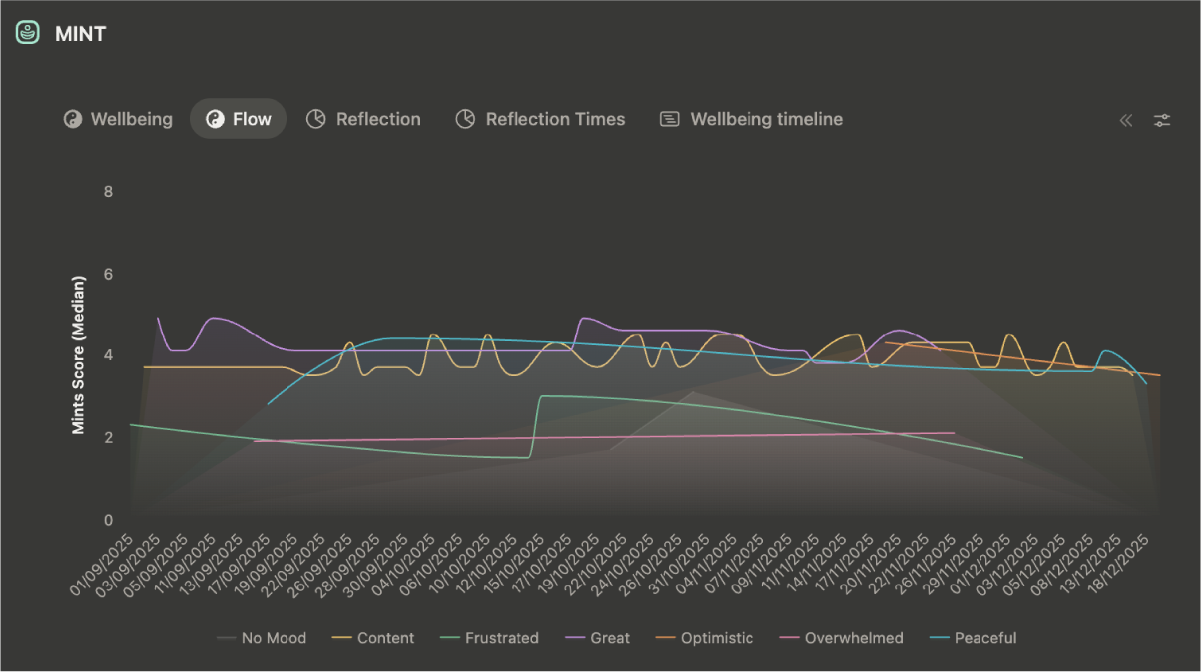
The Mint section at the top of your dashboard turns your entries into charts. Each view answers a question about your wellbeing today and over time.
View
What it shows
Wellbeing
The average Mint Score for each entry, colour-coded by mood. It shows which moods tend to give you your highest and lowest scores.
Flow
The median Mint Score over time, broken down by mood. It shows how your moods have shifted across your journalling history.
Reflection
The average Mint Score for each day. This is your overall wellbeing trend line.
Reflection Times
Your all-time median Mint Score for each time of day. It shows when you naturally feel your best.
Wellbeing Timeline
A calendar of your entries by date, colour-coded by mood, with the Mint Score shown.
Free Notion workspaces
Free Notion workspaces allow one chart, and that chart is Groov Momentum in the Groov section. Your free dashboard shows the Mint views as tables and lists instead, so you still see your journal data:
- Wellbeing timeline - a calendar view.
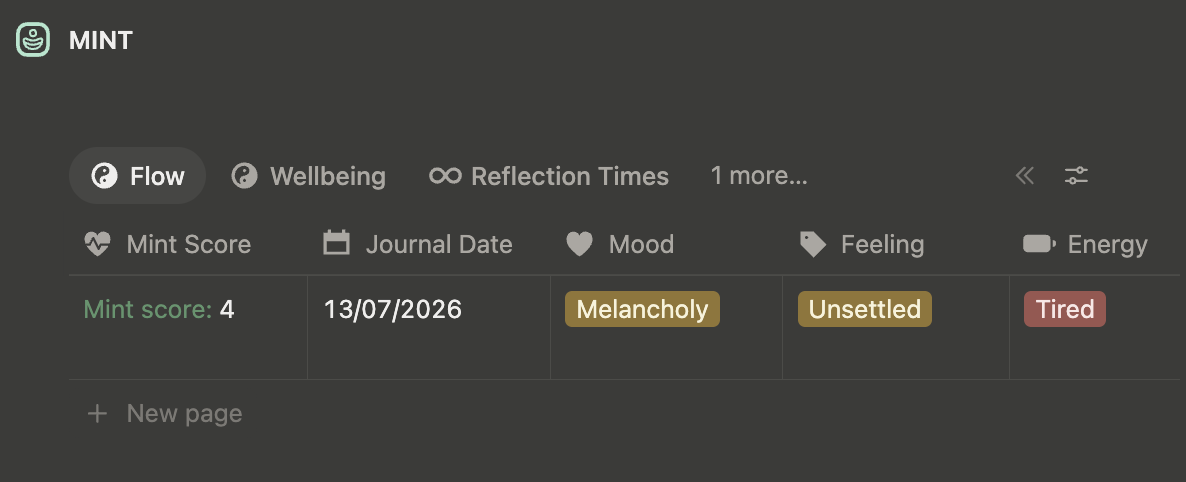
- Flow table - entries sorted by Mint Score, showing Mood, Energy and Feeling.
- Wellbeing list - entries grouped by month, with their Mint Scores.
- Reflection Times table - entries grouped by time of day.
Mint Score and Groov Momentum
Your Mint Score and your Groov Momentum are separate measures that work best when read alongside each other. Journal entries do not add to Momentum by design.
Compare the two to spot patterns. High Momentum with a low Mint Score can tell you that you were pushing through. Low Momentum with a high Mint Score might mean you were resting well, or that something else had your attention. The groovmint chart in the Groov section puts them side by side.
Looking after your journal data
- Add entries from the dashboard using the New Journal Entry button on the dashboard or in the Quick Access menu. Never add data directly to the Journal database in groovmint/HUB.
- Leave the properties, automations and buttons in the Journal database as they are - do not enter or edit the selections in the Mood, Energy, and Feeling drop down selectors.
- Keep your entries. They form the history behind your Mint charts, and deleting one removes it from those charts.
Get the most from your journal
- Log what is true. A consistently truthful log is far more valuable than an optimistic one. Low scores matter as much as high ones, because they show you when you need a break.
- Log when you can. There is no daily target, and a quiet week carries no penalty.
- Give it a few weeks. Once you have a run of entries, the Reflection Times chart shows when in the day you tend to feel your best.